
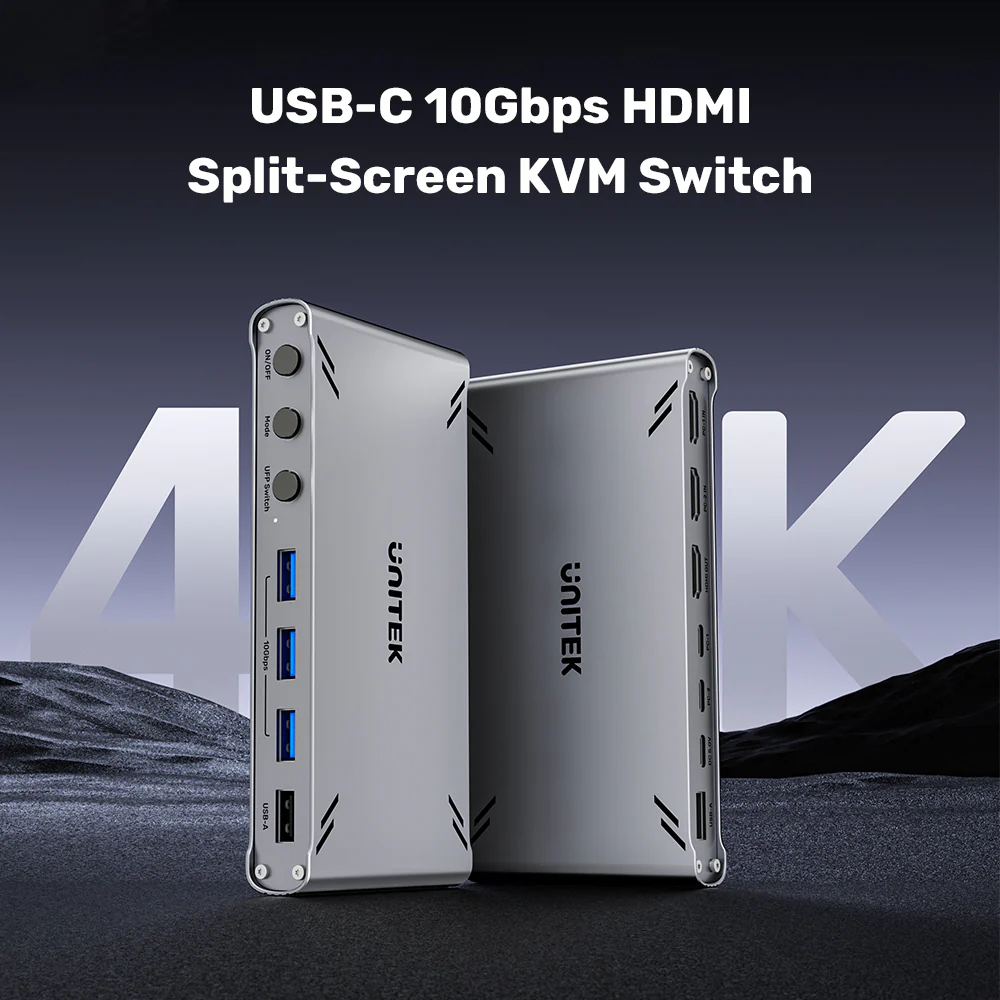




UNITEK D1118AGY01-EU USB-C 10Gbps HDMI KVM Switch – Master Two Computers with One Setup
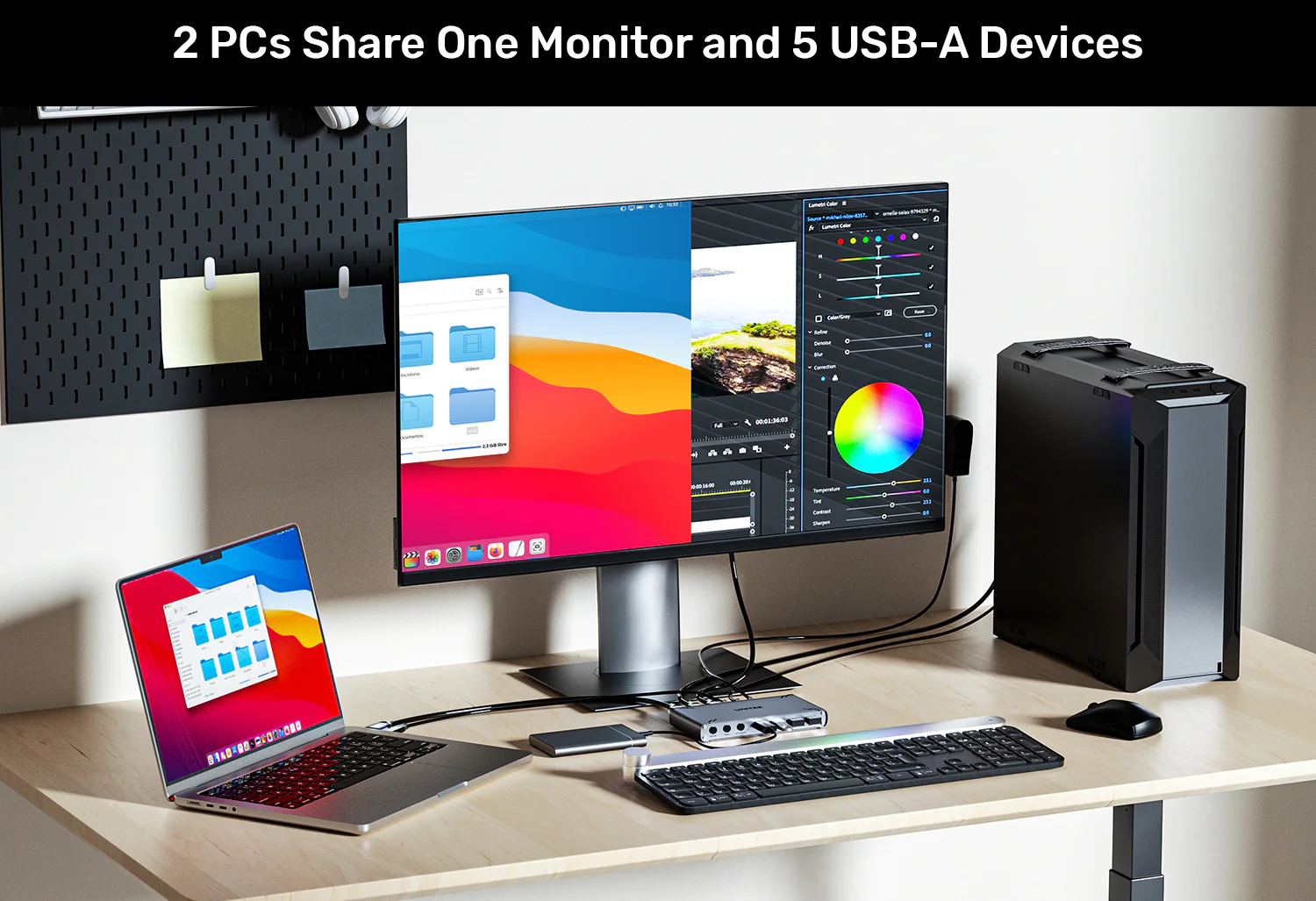
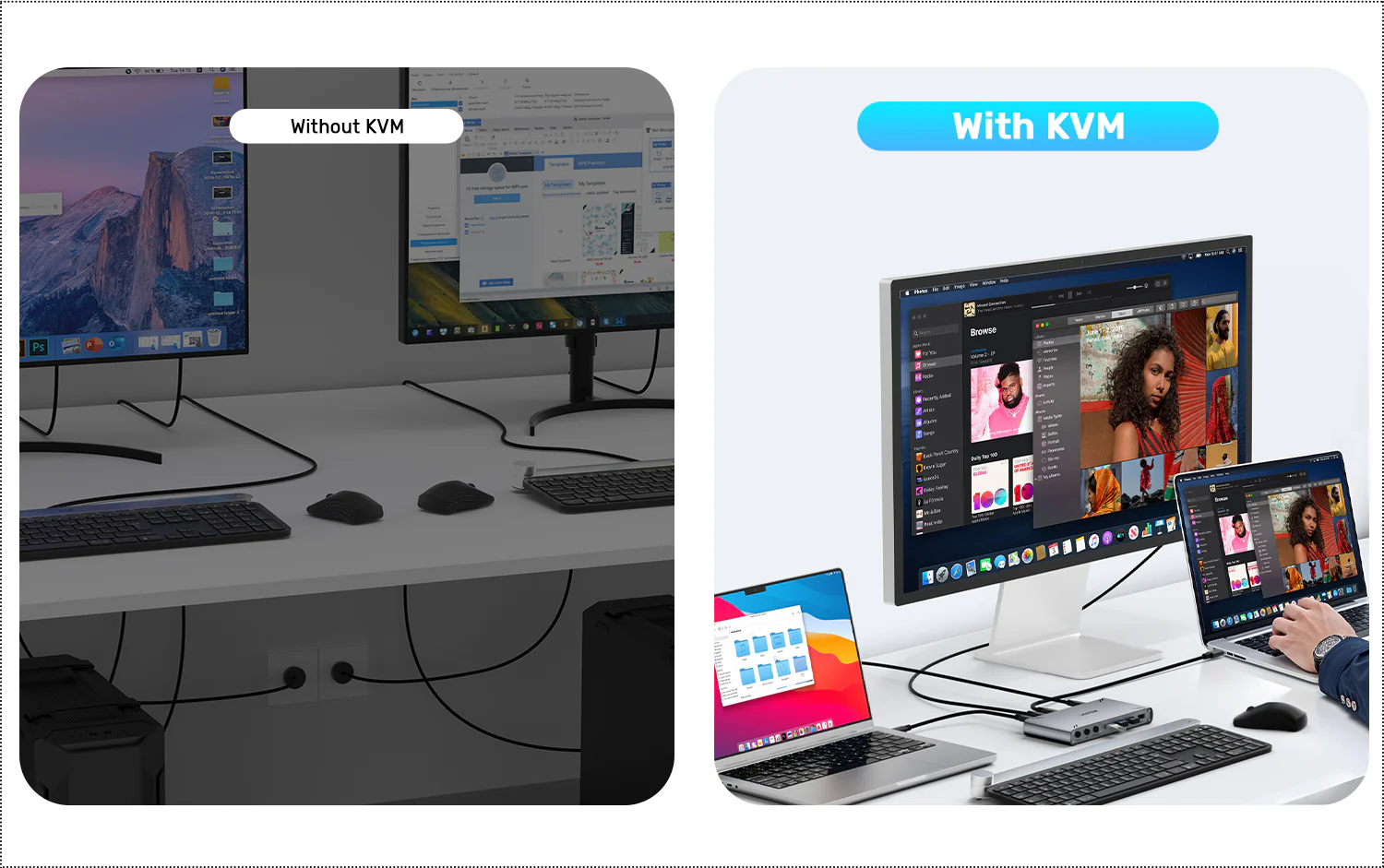
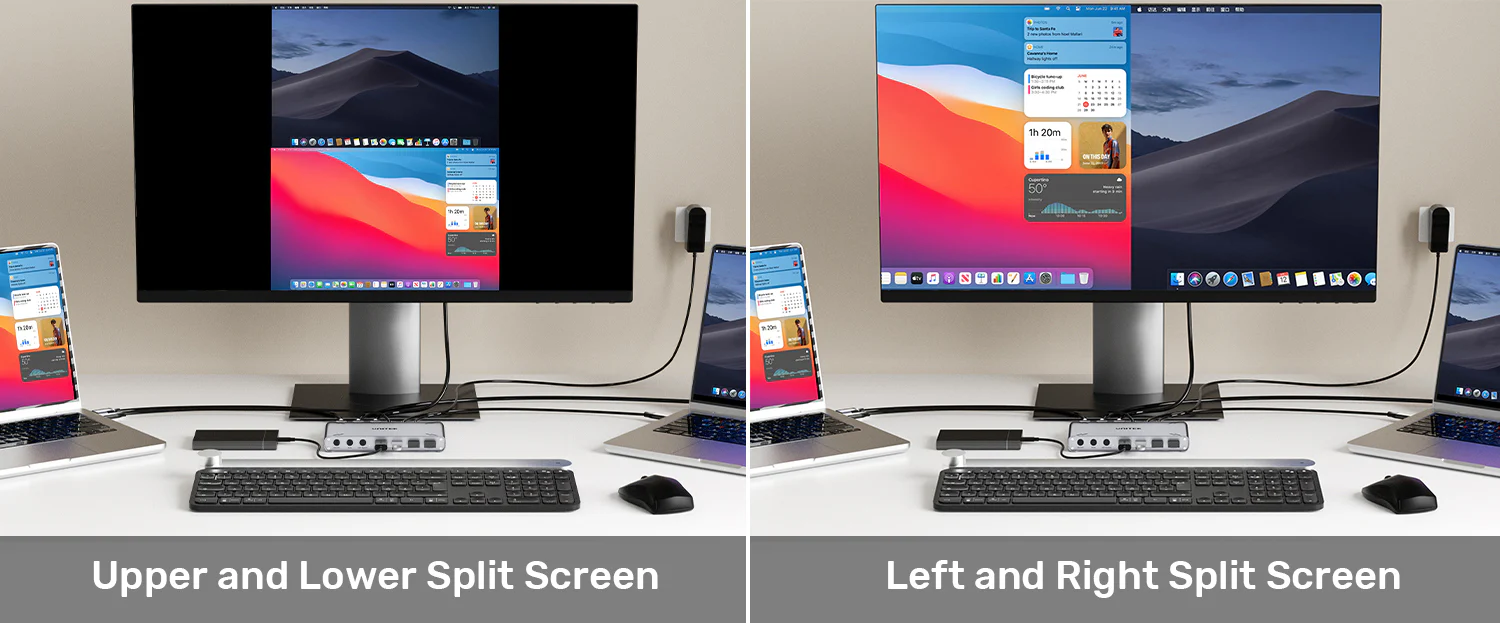

First and foremost, this device acts as a high-performance KVM (Keyboard, Video, Mouse) switch. UGREEN USB Sharing Switch Price in Pakistan With a press of a button (or via hotkey), you can instantly switch control of your monitor, keyboard, and mouse between two computers. Furthermore, its innovative split-screen mode divides your single monitor to show both computer desktops side-by-side or stacked, ideal for monitoring and cross-referencing data. When you search for the Best USB-C KVM Switch in Pakistan, look no further – this professional KVM is the top choice for dual-computer workstations. Check the UNITEK D1118AGY01-EU Price in Pakistan for exceptional value.
Whether you are a developer, financial analyst, designer, or remote worker, this KVM switch eliminates friction and helps you accomplish more in less time.
Switch Mode vs. Split-Screen Mode – Two Ways to Work
The UNITEK D1118AGY01-EU offers two distinct operating modes:
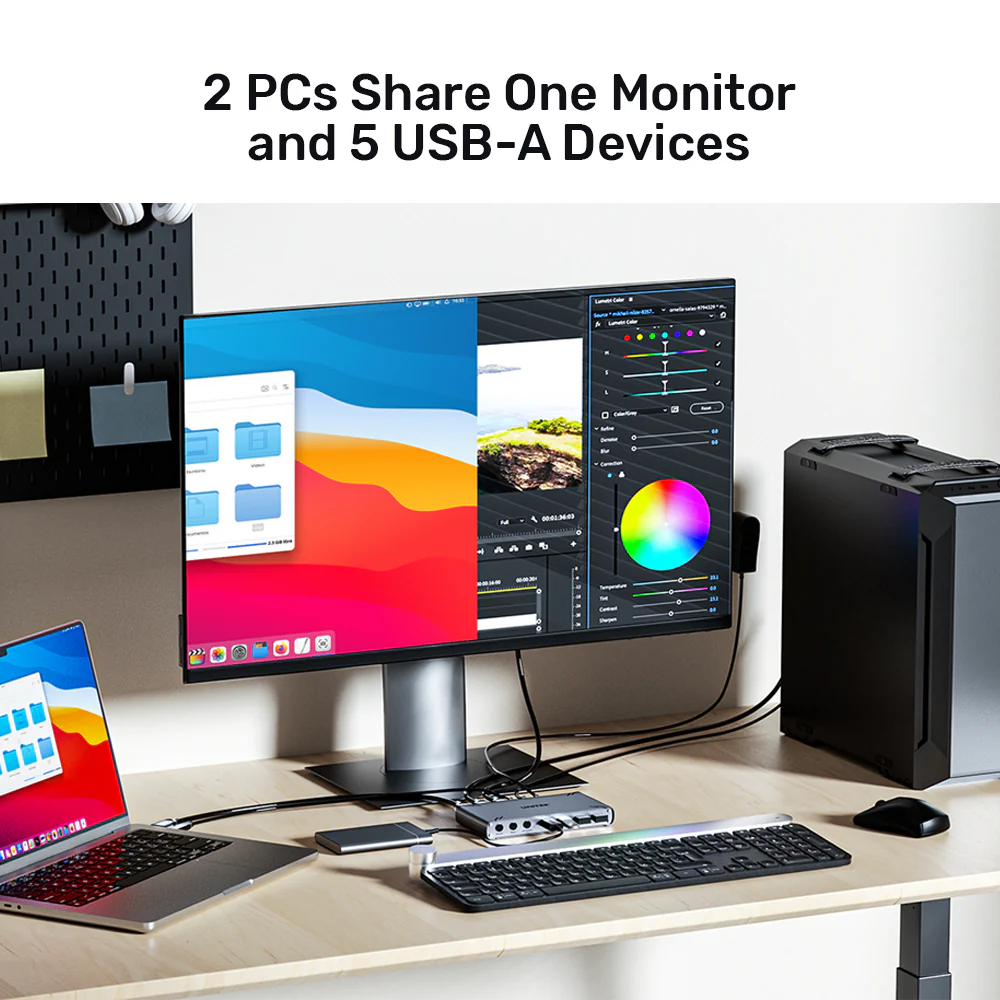
- Switch Mode: Your monitor shows the full screen of either PC1 or PC2. Instantly switch between computers with a button press or hotkey. UGREEN 5-Port HDMI Switch Price in Pakistan All your peripherals – keyboard, mouse, and USB devices – follow the active computer.
- Split-Screen Mode: Your monitor screen is divided (left/right or top/bottom) to show both PCs simultaneously at a lower resolution. The total output is 4K@30Hz, with each PC typically displaying at 1920×2160 (horizontal split) or 1920×1080 (vertical split). Perfect for monitoring, data comparison, and cross-referencing.
This flexibility means you can work the way that suits you best – full focus on one system or simultaneous view of both.
High-Speed 10Gbps USB Hub with 5 Ports
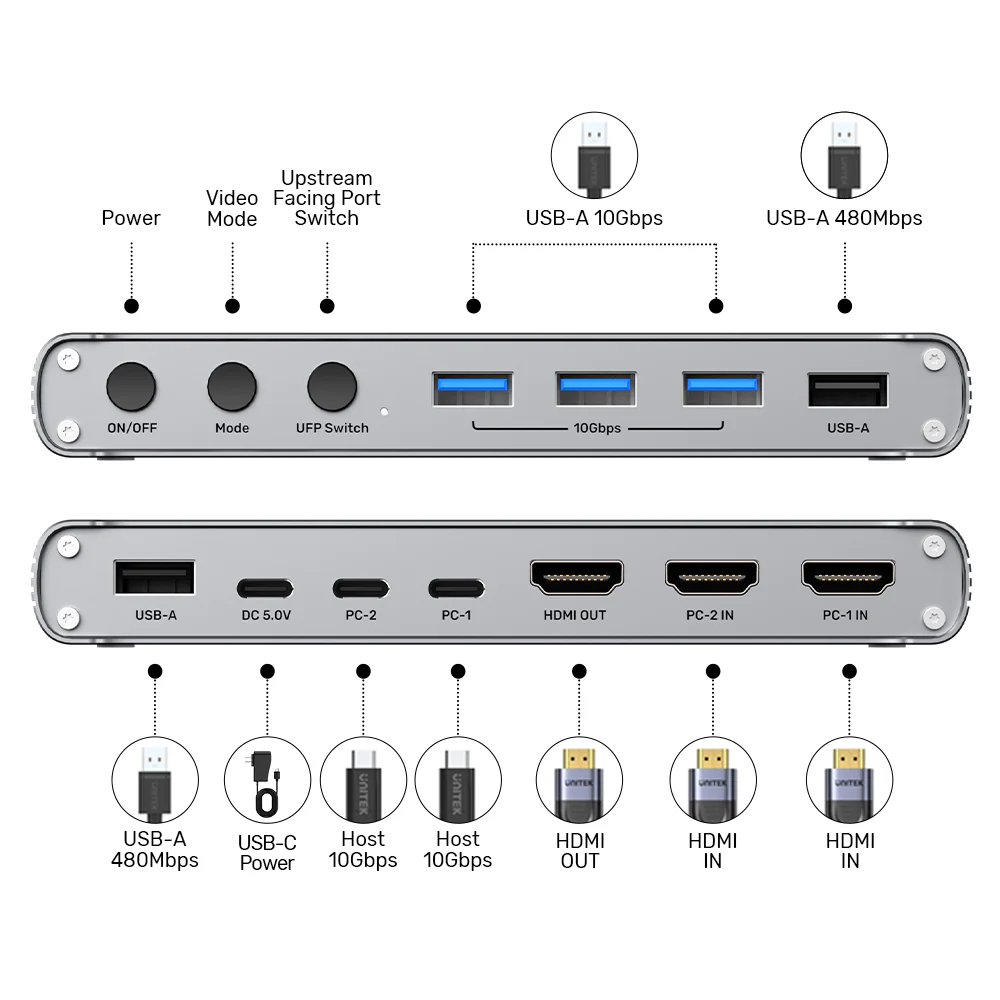
Beyond simple switching, it incorporates a high-speed 10Gbps USB hub with five downstream ports:
- 3 x USB-A 10Gbps Ports: High-speed data transfer for external SSDs, flash drives, and high-performance peripherals
- 2 x USB-A 480Mbps Ports: Perfect for keyboard, mouse, webcam, and other standard peripherals
Connect all your devices – keyboard, mouse, external drives, webcam, printer, and more – and share them between both computers seamlessly. The hub switches along with your KVM selection, so your peripherals always follow the active computer.
Data InterCopy – Direct PC-to-PC File Transfer
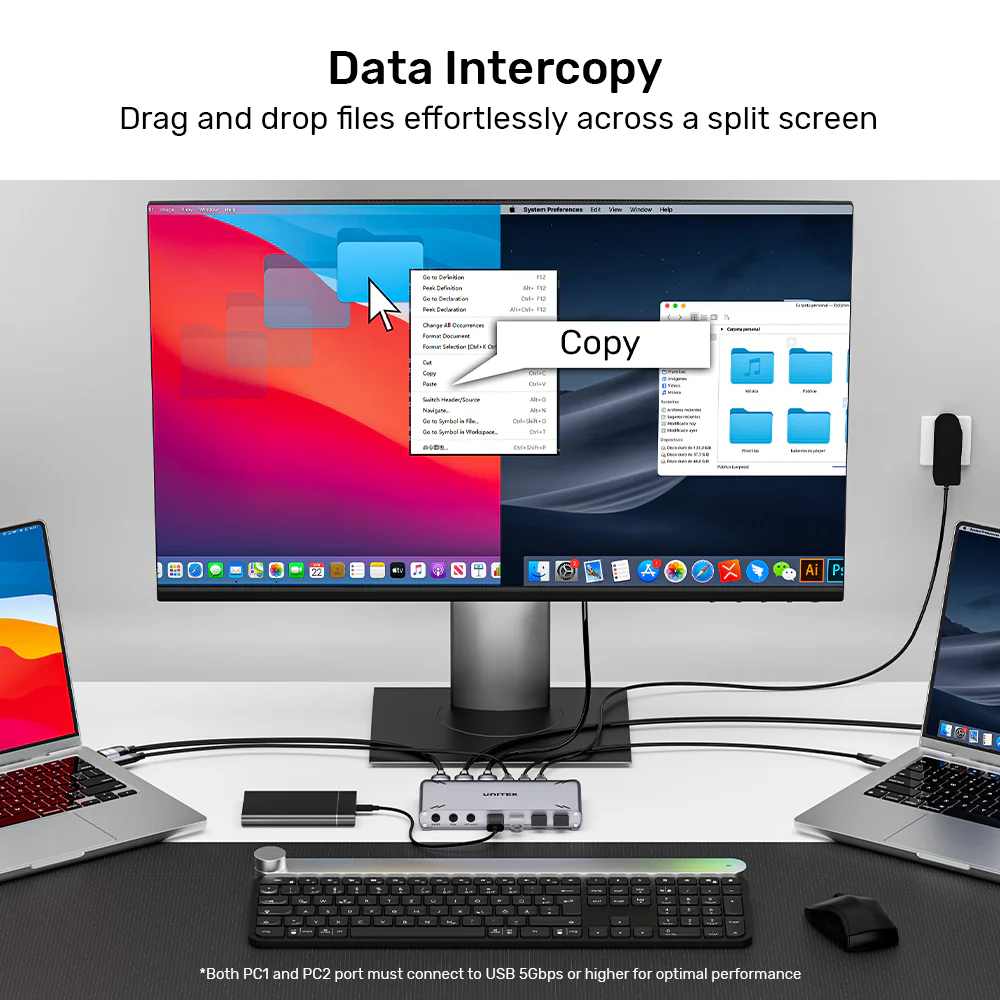
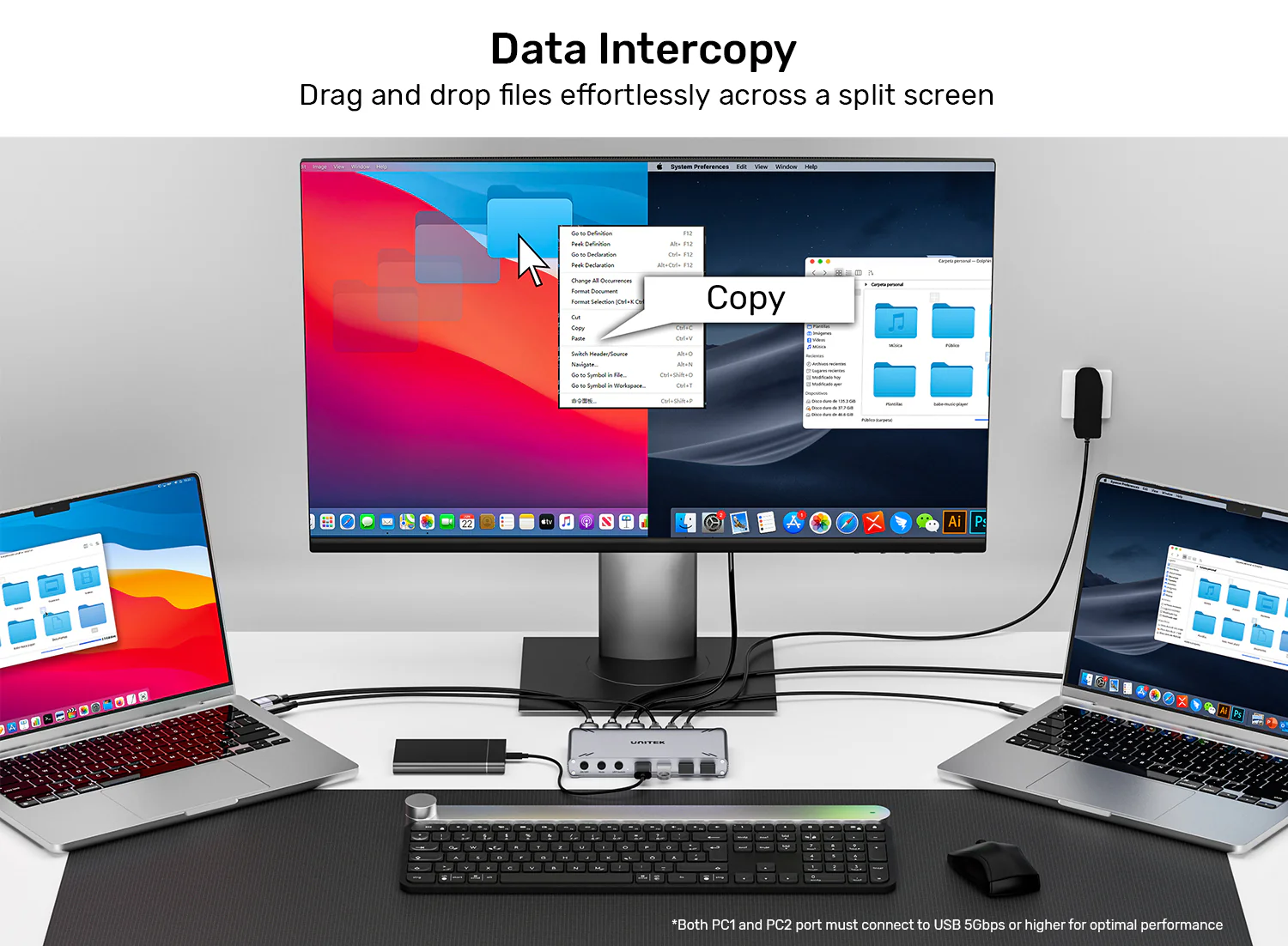
The standout feature is Data InterCopy. Once configured (with driver installation from the UNITEK website), you can drag and drop files directly between the two connected PCs as if they were networked, bypassing slow cloud services or USB sticks.
This feature is a game-changer for professionals who regularly move files between work and personal computers:
- No Cloud Uploads: Transfer files directly without uploading to the cloud
- No USB Sticks: Eliminate the need for physical media
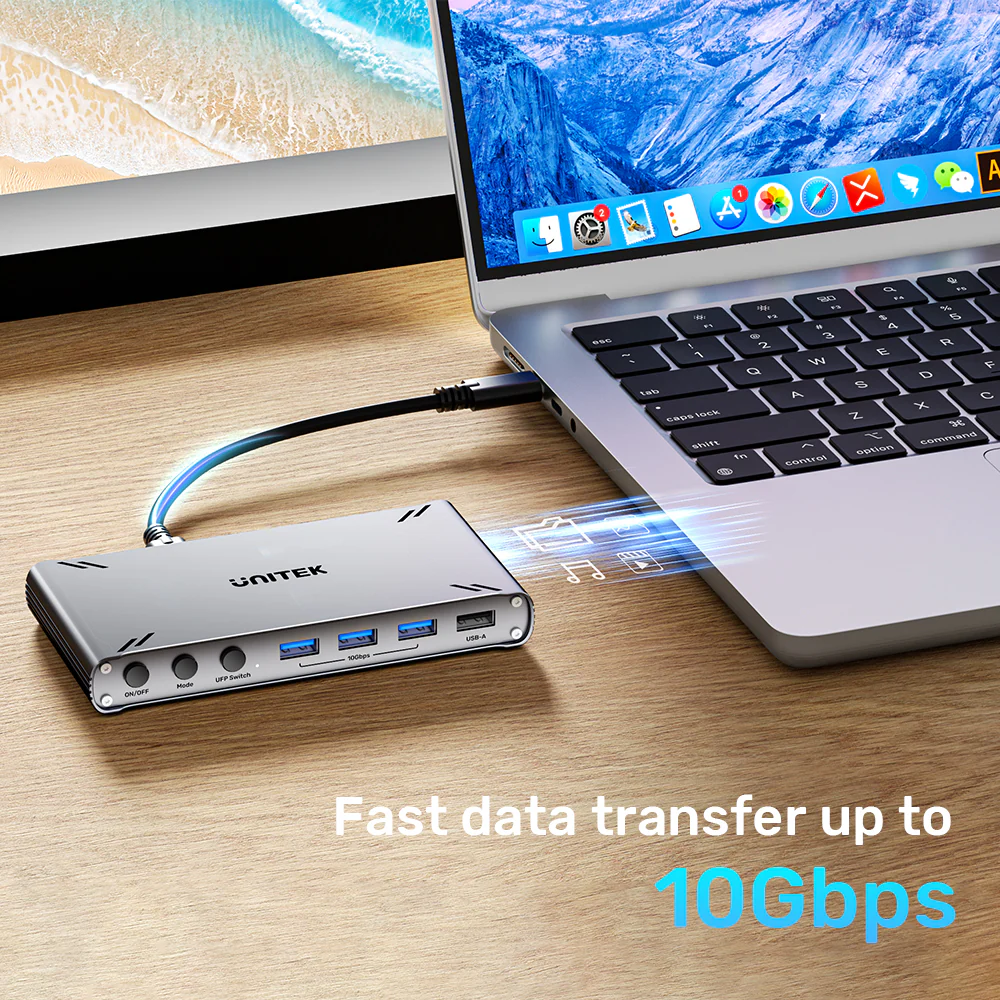
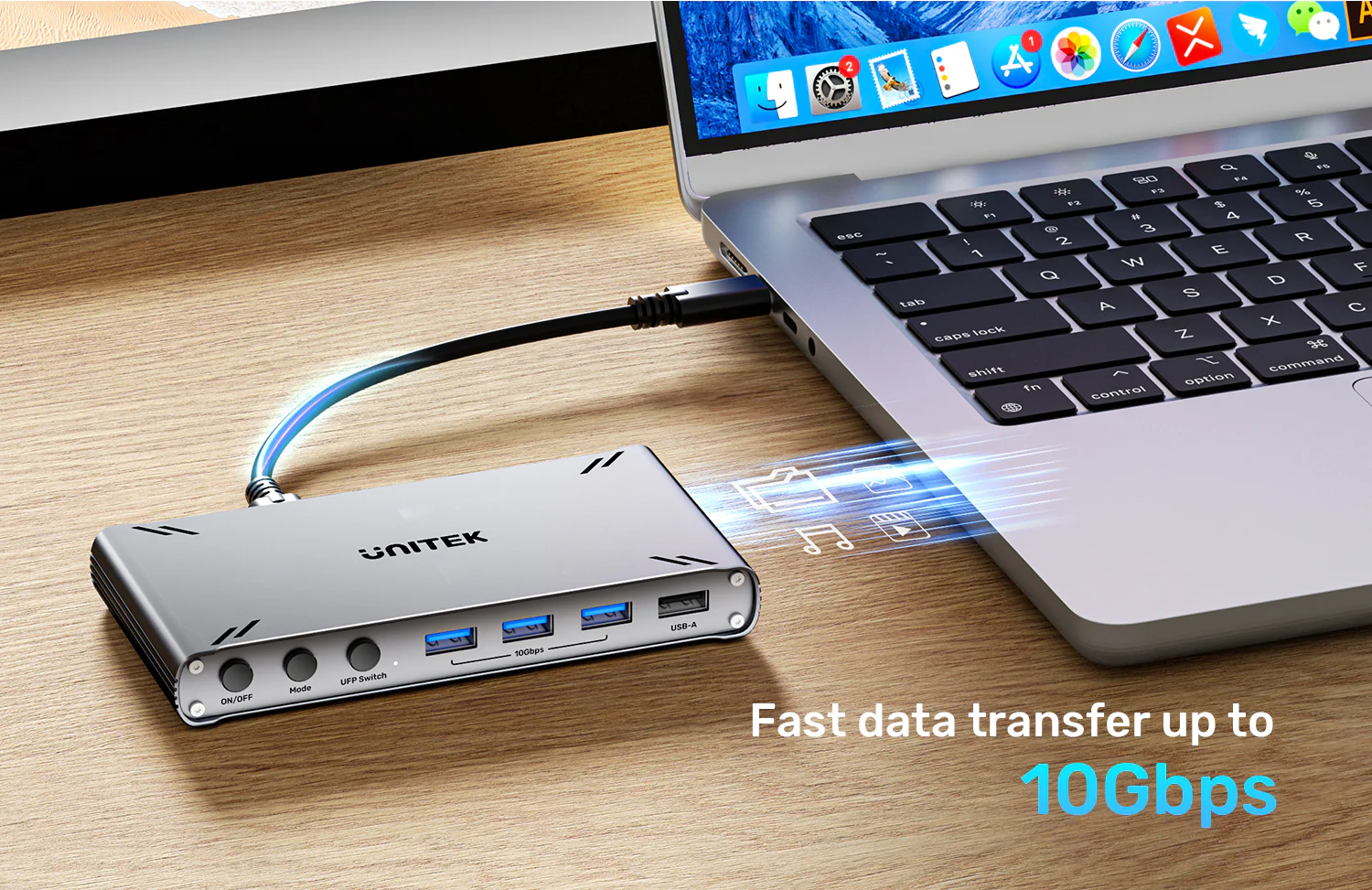
- Fast Speeds: Full 10Gbps transfer rates
- Drag and Drop Simplicity: Intuitive file management between systems
Ensure both hosts are connected with the included cables or a high-quality USB-C cable. For fast file transfers, use a high-speed external SSD.
Engineered for the Modern Professional
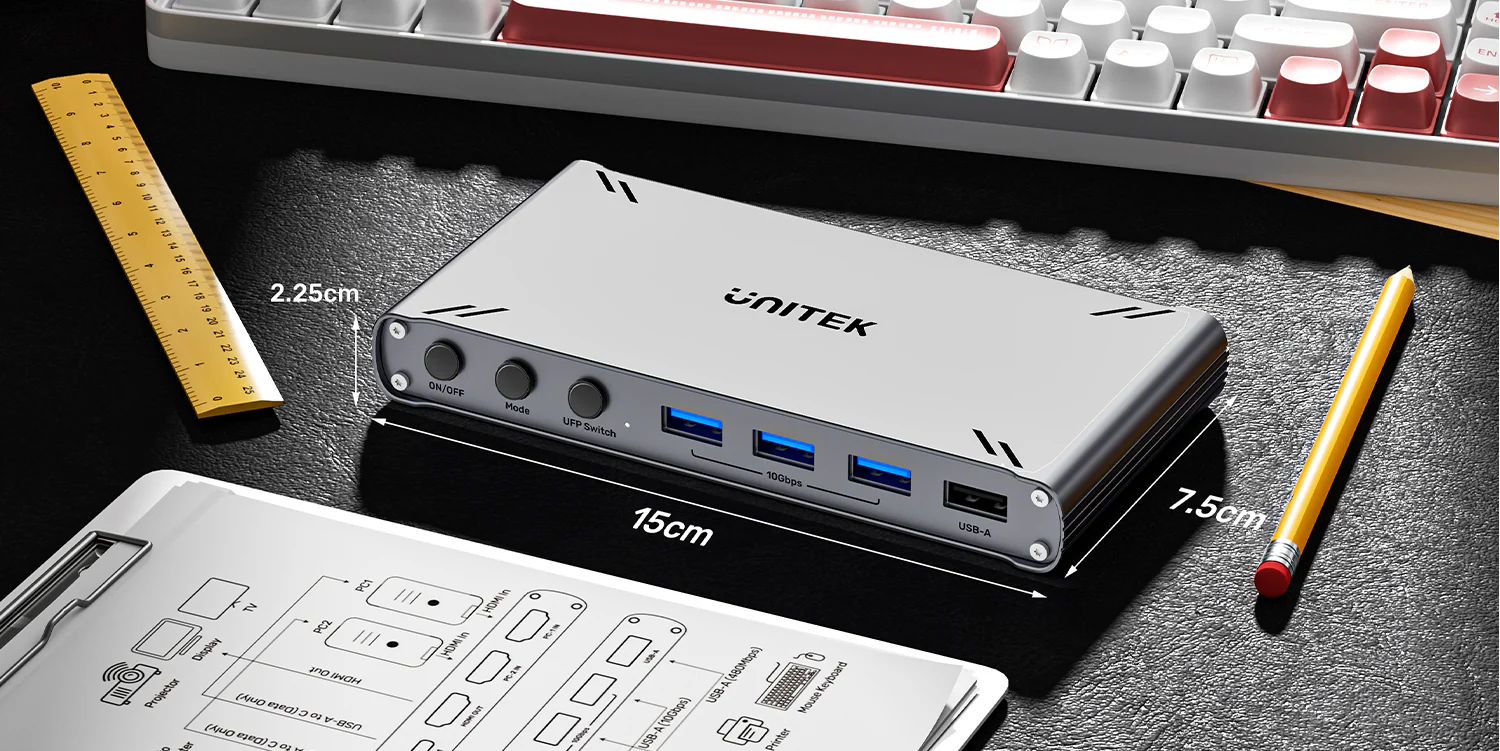
Encased in sleek, durable aluminum, this switch is built for 24/7 reliability. UGREEN 4-Port USB 3.0 Hub Price in Pakistan Its compact footprint (150.6mm x 75.0mm x 22.5mm) tucks neatly under your monitor, creating an organized desk environment.
The aluminum construction offers several benefits:
- Durability: Built to withstand daily use
- Heat Dissipation: Keeps the switch cool during extended operation
- Professional Appearance: Space Grey finish complements any workspace
- Compact Size: Fits neatly under your monitor or on your desk
Perfect Applications for Every Professional
This KVM switch is ideal for a wide range of professional applications:
- Developers and Programmers: Test code on two different systems with one keyboard and mouse
- Financial Analysts: Monitor multiple data streams and applications across two PCs
- Content Creators and Designers: Use Mac for creative work and PC for rendering or testing
- Remote Workers: Seamlessly switch between personal laptop and company PC
- IT Professionals: Manage and monitor two systems from a single workstation
- Data Entry and Analysis: Cross-reference information between two computers simultaneously
Why Choose UTech for Your Purchase
When you buy the UNITEK D1118AGY01-EU from UTech, you get the genuine article with full manufacturer support. We are an authorized retailer of UNITEK products in Pakistan, which means our stock comes directly from UNITEK’s manufacturing facilities. Every unit undergoes rigorous quality control testing before reaching you.
We stand behind every product with responsive customer service and hassle-free warranty claims. Check the UNITEK D1118AGY01-EU Price in Pakistan on our store for the best deal, and take advantage of our fast delivery to get your KVM switch within days.
For users who need even more connectivity solutions, consider exploring other UNITEK products and accessories available at UTech to find the perfect match for your specific requirements.
Products Specifications
- Brand: UNITEK
- Model: D1118AGY01-EU
- Function: 2-Port USB-C KVM Switch + 5-Port USB Hub
- Color: Space Grey
- Case Material: Aluminum Alloy
- Video Support: HDMI 1.4, HDCP 1.4
- Max Resolution (Switch or Split-Screen Mode): 4K@30Hz
- Split-Screen Mode Resolution: 1920×2160 (horizontal) or 1920×1080 (vertical) per PC
- Upstream Ports: 2 x USB-C 10Gbps (PC1 & PC2 connections)
- Downstream Ports:
- 3 x USB-A 10Gbps (USB 3.1 Gen 2)
- 2 x USB-A 480Mbps (USB 2.0)
- Data Transfer Rate: Up to 10Gbps
- Key Feature: Data InterCopy (Direct PC-to-PC file transfer via drag-and-drop)
- Control Method: Front Button / Keyboard Hotkey
- Power: 5V/2A External Adapter (Included – Mandatory)
- Dimensions: 150.6mm x 75.0mm x 22.5mm (5.9 x 3.0 x 0.9 inches)
- Compatibility: Windows, macOS, Linux
- Included Cables: 2 x 1-meter USB-A to USB-C 10Gbps Cables
- Warranty: 12 Months (Pakistan)
Important Notes:
- The included 5V/2A power adapter is mandatory for operation.
- For Split-Screen Mode, the total output is 4K@30Hz. Each PC displays at reduced resolution.
- The Data InterCopy feature requires driver installation from the UNITEK website on both host computers.
- This KVM switch shares a single monitor between two computers (not multi-monitor).
What’s in the Box
- 1 x UNITEK D1118AGY01-EU USB-C 10Gbps HDMI KVM Switch
- 2 x 1-meter USB-A to USB-C 10Gbps Cables (for PC connections)
- 1 x 5V/2A Power Adapter
- 1 x User Manual
Frequently Asked Questions
Q1: What is the difference between Switch Mode and Split-Screen Mode?
A: In Switch Mode, your monitor shows the full screen of either PC1 or PC2. In Split-Screen Mode, your monitor screen is divided (left/right or top/bottom) to show both PCs simultaneously at a lower resolution.
Q2: What resolution is supported in Split-Screen Mode?
A: In Split-Screen Mode, the total output is 4K@30Hz. UGREEN USB 3.0 Hub Price in Pakistan This typically means each PC’s display is shown at 1920×2160 (if split horizontally) or 1920×1080 (if split vertically), depending on your selection.
Q3: How do I use the Data InterCopy feature?
A: First, install the special driver from the UNITEK website on both host computers. Then, use the “UFP Switch” button to select the target PC, and you can drag files directly between the two systems via the shared USB ports.
Q4: Can I use this with a 4K@60Hz monitor?
A: The switch supports a maximum of 4K@30Hz. If your monitor is set to 4K@60Hz, the signal will be downgraded to 4K@30Hz. For 60Hz, you would need a different KVM model.
Q5: Does it work with wireless keyboard/mouse receivers?
A: Yes. Plug your wireless receiver into any of the USB-A downstream ports on the KVM switch. The signal will be passed to the currently active computer, allowing seamless control.
Q6: Can I connect more than one monitor?
A: No, this specific KVM switch is designed to share a single monitor between two computers. UGREEN USB 3.0 Hub with OTG Price in Pakistan For multi-monitor setups, you would need a different KVM solution.
Q7: Is the included power adapter necessary?
A: Yes, it is required. The KVM switch and the connected USB devices need more power than what the host PCs can provide via the USB-C cables. Always use the included 5V/2A adapter.
Q8: Will it work with my MacBook and Windows PC together?
A: Yes, that is its primary use case. It is fully compatible with macOS and Windows, allowing you to seamlessly control a Mac and a PC with one set of peripherals.
Q9: What happens to USB devices when I switch between PCs?
A: USB devices connected to the KVM’s hub are switched along with the keyboard, mouse, and video. They will be disconnected from one PC and connected to the other, which takes a few seconds.
Q10: Where can I download the required driver?
A: The driver for the Data InterCopy feature can be downloaded from the official UNITEK support downloads page. Always ensure you have the latest version for optimal performance.





 No products in the cart.



Write a review