



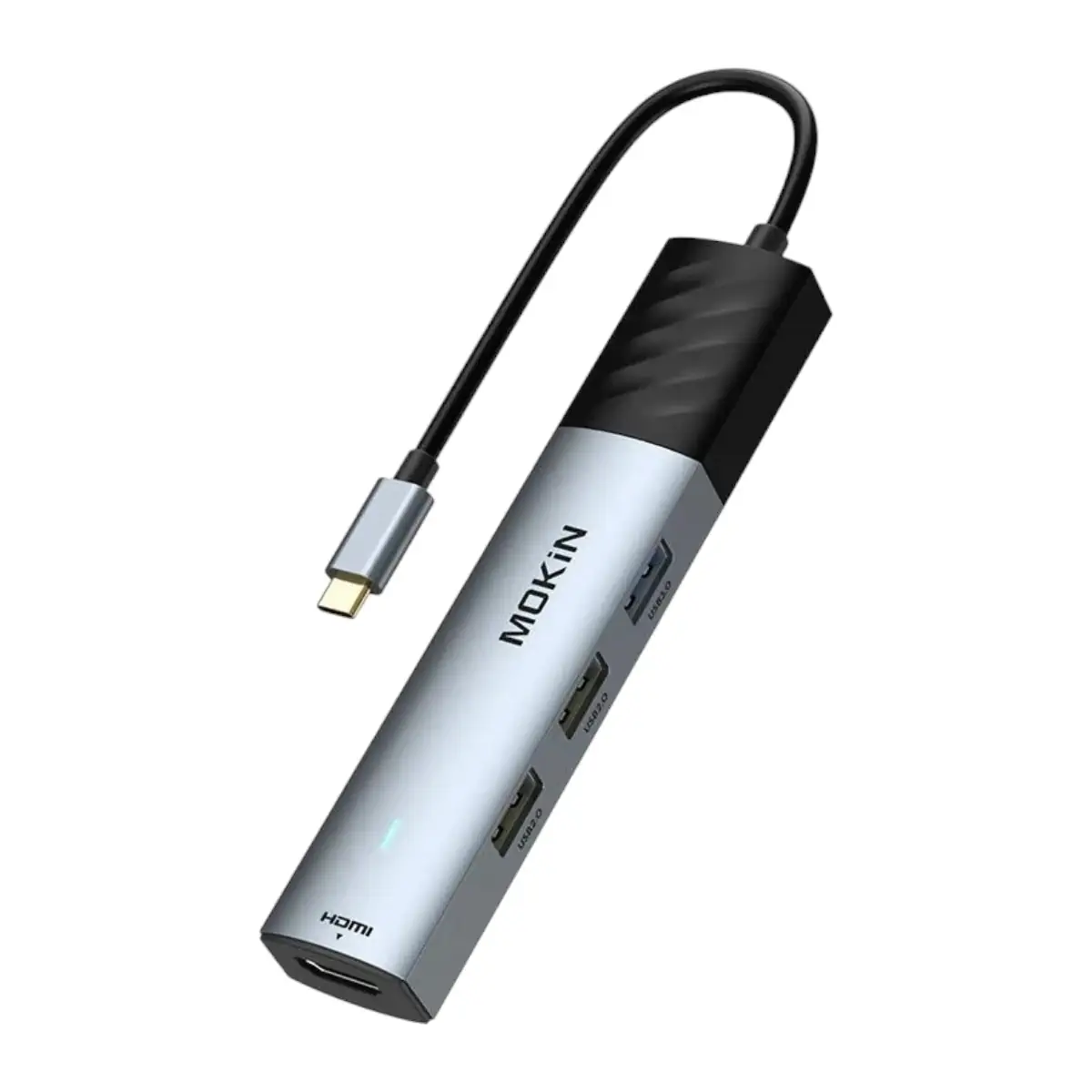
MOKIN MOUC6005 5-in-1 USB-C Hub with 8K HDMI, USB 3.0 and 100W PD Charging
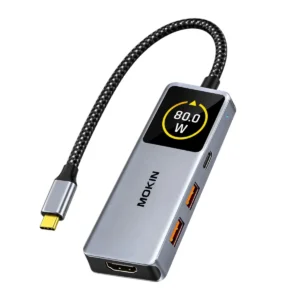
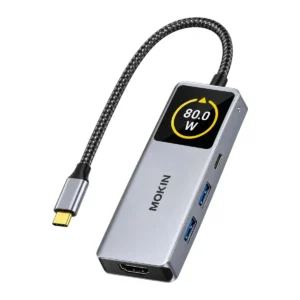
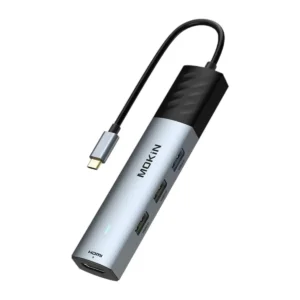
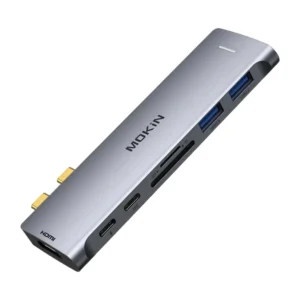
The MOKIN MOUC6005 5-in-1 USB-C Hub is a multiport adapter designed to expand the connectivity of compatible USB-C computers and other supported host devices.
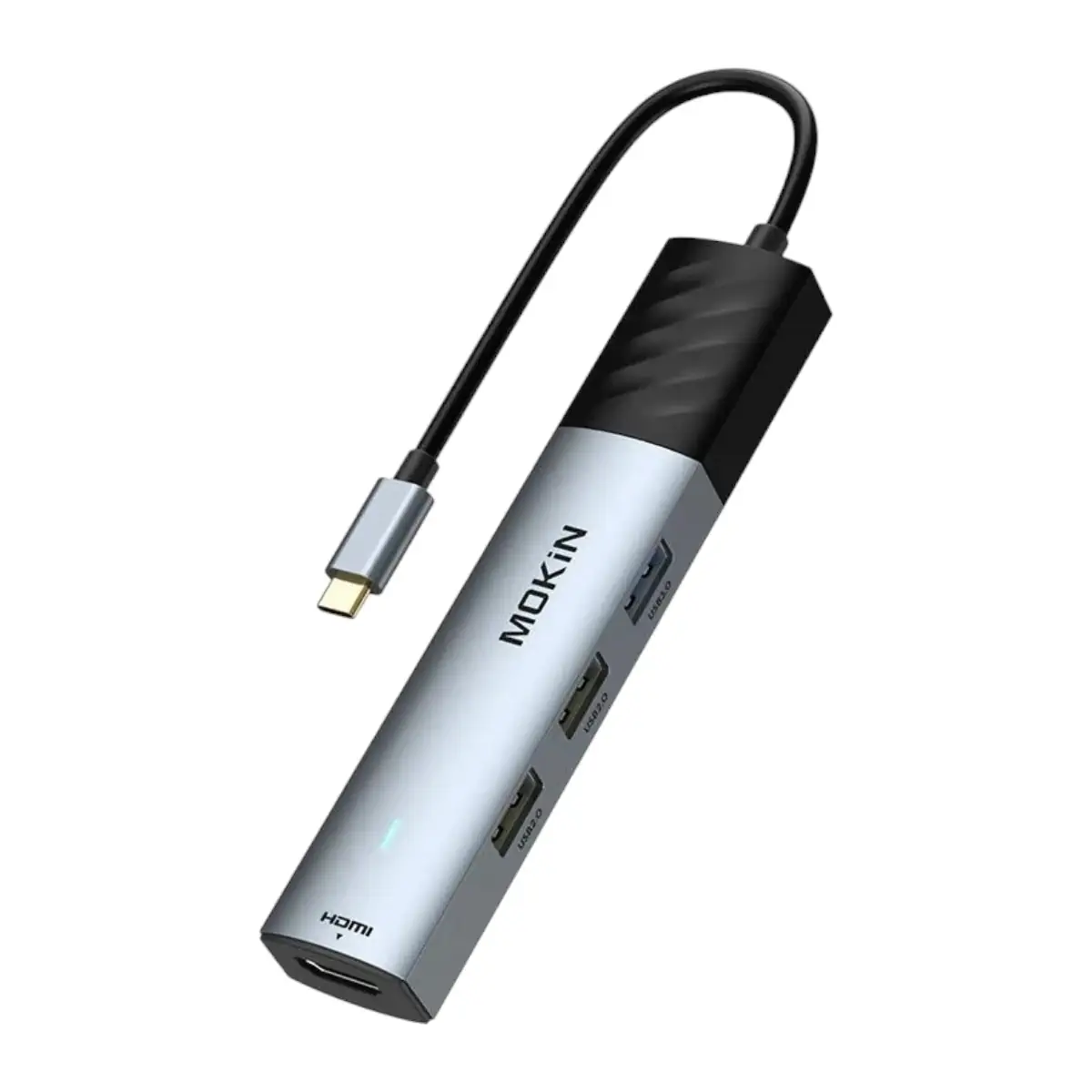
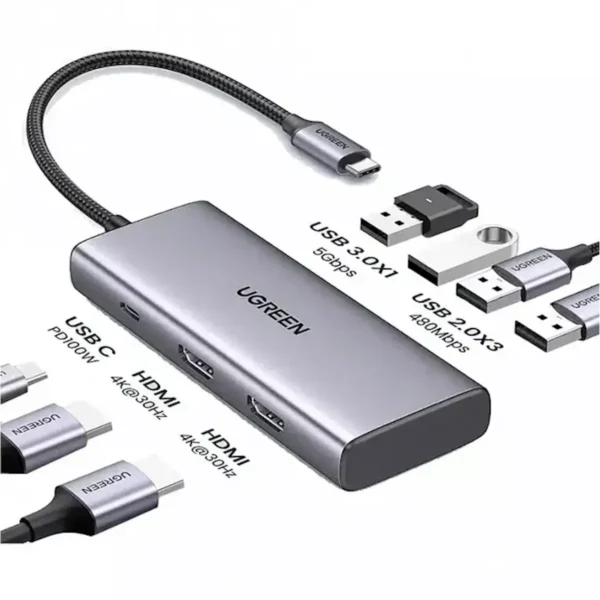
It combines an HDMI output supporting up to 8K resolution at 30Hz, one high-speed USB-A 3.0 port, two USB-A 2.0 ports and a dedicated USB-C Power Delivery 3.0 charging input.
This combination allows users to connect an external display, access compatible USB storage, use everyday peripherals and supply charging power through a single USB-C host connection.
The USB-A 3.0 port supports advertised data transfer speeds of up to 5Gbps, while the two USB-A 2.0 ports provide up to 480Mbps for compatible accessories.
The USB-C PD 3.0 input supports up to 100W, allowing a compatible laptop or other supported host device to receive power while using the hub.
With five expansion connections, the MOKIN MOUC6005 is a practical option for users who want additional display, data and charging connectivity without relying on several separate adapters.
5-in-1 Connectivity Through One USB-C Port
The MOKIN MOUC6005 provides five expansion connections through a compatible USB-C host interface.
These include:
- 1 × HDMI output supporting up to 8K@30Hz
- 1 × USB-A 3.0 data port supporting up to 5Gbps
- 2 × USB-A 2.0 data ports supporting up to 480Mbps
- 1 × USB-C PD 3.0 charging input supporting up to 100W
This arrangement helps users connect multiple accessories to a laptop with limited built-in ports.
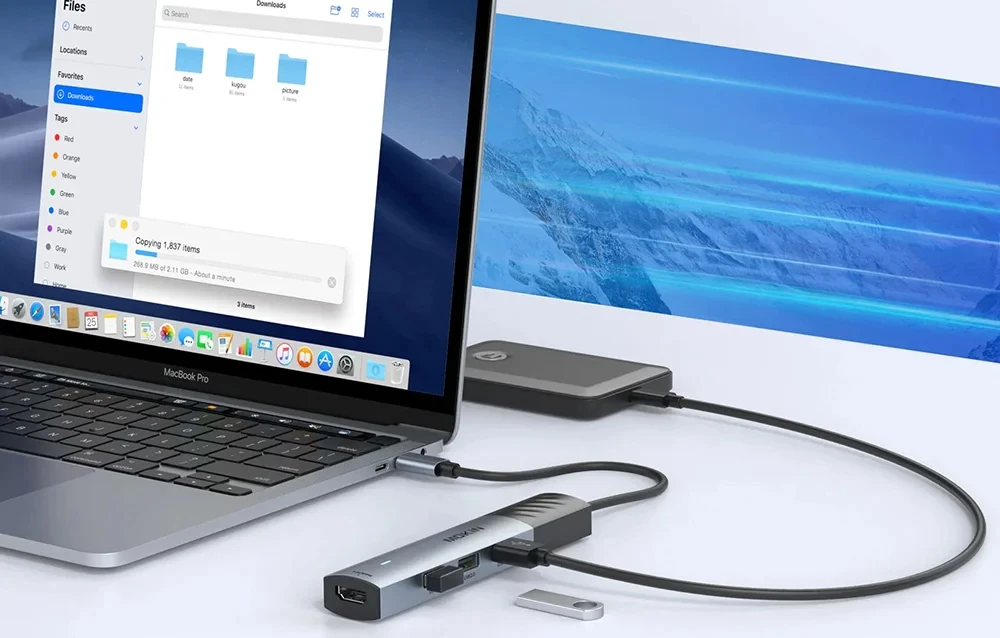
For example, a compatible computer can connect to an HDMI monitor while using a USB keyboard, mouse and flash drive.
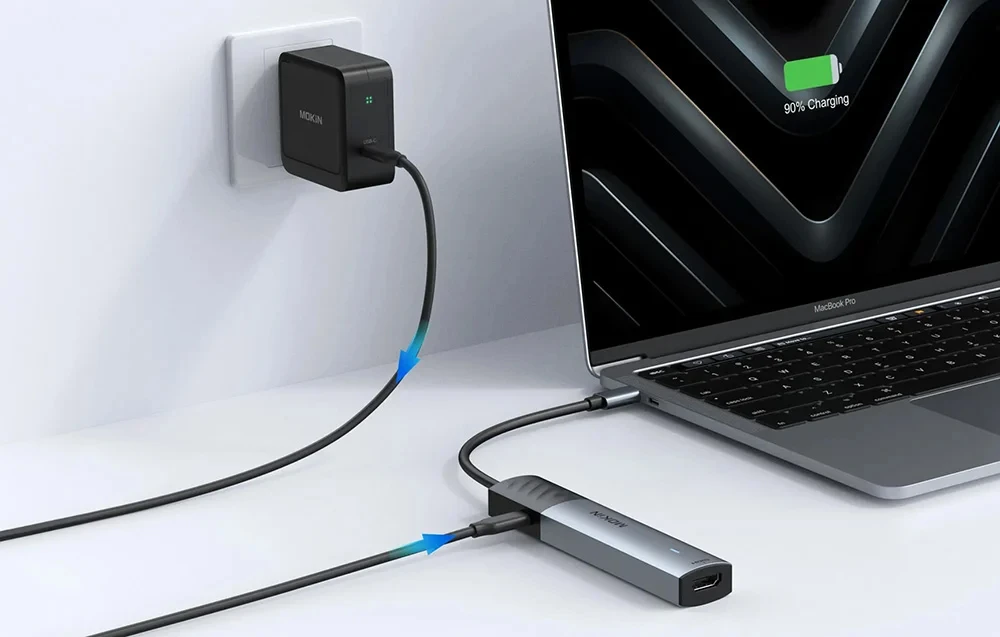
A compatible USB-C PD charger can also be connected through the hub’s dedicated charging input.
The availability of these functions depends on the connected host device and peripherals.
8K@30Hz HDMI Output for High-Resolution Displays
One of the main features of the MOKIN MOUC6005 is its HDMI output with an advertised maximum resolution of 8K at 30Hz.
This connection is designed for compatible high-resolution monitors, televisions and other HDMI display equipment.
An 8K display provides a high pixel count, which can be useful for viewing detailed visual content when supported by the complete display setup.
The hub can also be used with compatible lower-resolution HDMI displays, although the supplied specifications do not list their individual supported resolutions and refresh rates.
To achieve 8K at 30Hz, the connected laptop, USB-C video interface, HDMI cable and display must support the necessary video capabilities.
The supplied product information does not specify the required DisplayPort version, HDMI version, Display Stream Compression support or exact video bandwidth conditions.
Therefore, 8K@30Hz should be treated as the advertised maximum rather than a guaranteed output on every USB-C laptop.
Important USB-C Video Output Requirements
Not every USB-C port can transmit video.
For the MOKIN MOUC6005 HDMI output to function, the host device must support compatible video output through its USB-C connection.
This generally requires DisplayPort Alternate Mode or an appropriate Thunderbolt video connection.
A USB-C port designed only for charging or USB data transfer will not provide HDMI video through the hub.
Even when a laptop supports external display output, the maximum available resolution and refresh rate depend on its hardware capabilities.
Customers planning to use an 8K monitor should check their laptop’s external display specifications before purchasing.
USB-A 3.0 Port with 5Gbps Data Transfer
The MOKIN MOUC6005 includes one USB-A 3.0 port supporting an advertised maximum data rate of 5Gbps.
This port is suitable for connecting compatible USB storage devices and other USB accessories.
For example, users can connect a USB flash drive to access documents, photographs, videos and other files.
The USB 3.0 connection offers higher theoretical bandwidth than USB 2.0, making it the preferred port for compatible devices that benefit from faster data transfer.
Actual file transfer speeds depend on the host connection, storage device, file characteristics and operating conditions.
The advertised 5Gbps represents the maximum interface signaling rate, not a guaranteed file-copy speed.
Two USB-A 2.0 Ports with 480Mbps Speed
In addition to the USB-A 3.0 connection, the MOKIN MOUC6005 provides two USB-A 2.0 ports.
Each supports an advertised maximum data rate of 480Mbps.
These connections are useful for compatible peripherals that do not require high-speed USB 3.0 data transfer.
Common examples include USB keyboards, mice, printers and other everyday USB accessories.
By connecting lower-bandwidth peripherals to the USB 2.0 ports, users can keep the USB-A 3.0 port available for compatible storage devices.
The USB 2.0 ports are intended for data and peripheral connectivity rather than high-speed file transfer.
Actual performance depends on the connected devices and host system.
Connect Three USB-A Devices
The MOKIN MOUC6005 offers three USB-A ports in total.
This makes it convenient for users who regularly connect several USB accessories to a laptop.
For example, a typical setup might include:
- A USB flash drive connected to the USB-A 3.0 port
- A keyboard connected to one USB-A 2.0 port
- A mouse connected to the second USB-A 2.0 port
This arrangement allows compatible accessories to remain connected through a single hub.
All three USB-A ports share the available resources of the USB-C host connection.
The supplied specifications do not identify the maximum power output available from each USB-A port.
High-power USB peripherals may require their own power supply.
100W USB-C Power Delivery 3.0 Input
The MOKIN MOUC6005 includes a dedicated USB-C PD 3.0 charging input.
According to the supplied specifications, this connection supports up to 100W Power Delivery input.
This allows users to connect a compatible USB-C PD charger and supply charging power to a supported host device through the hub.
Pass-through charging can be useful for laptops with a limited number of USB-C ports.
For example, a user can connect an HDMI monitor and USB peripherals while keeping the laptop connected to a suitable charger.
The charger, USB-C cable and host device must support the required Power Delivery capabilities.
The supplied information does not specify how much power the hub reserves for its own operation.
Therefore, the full 100W input rating should not be interpreted as guaranteed net charging power delivered to the laptop.
Dedicated USB-C Charging Port
The USB-C PD input serves a different purpose from the hub’s USB-A data connections.
It is intended to accept power from a compatible USB-C charger and provide pass-through charging to the host device.
The supplied specifications do not identify this connection as a USB-C data port.
It should therefore not be advertised as an additional USB-C data interface.
Likewise, the PD charging input is not specified as an additional video output.
Customers who require a separate USB-C data port should consider a hub with that feature explicitly listed.
External Monitor Connectivity for Productivity
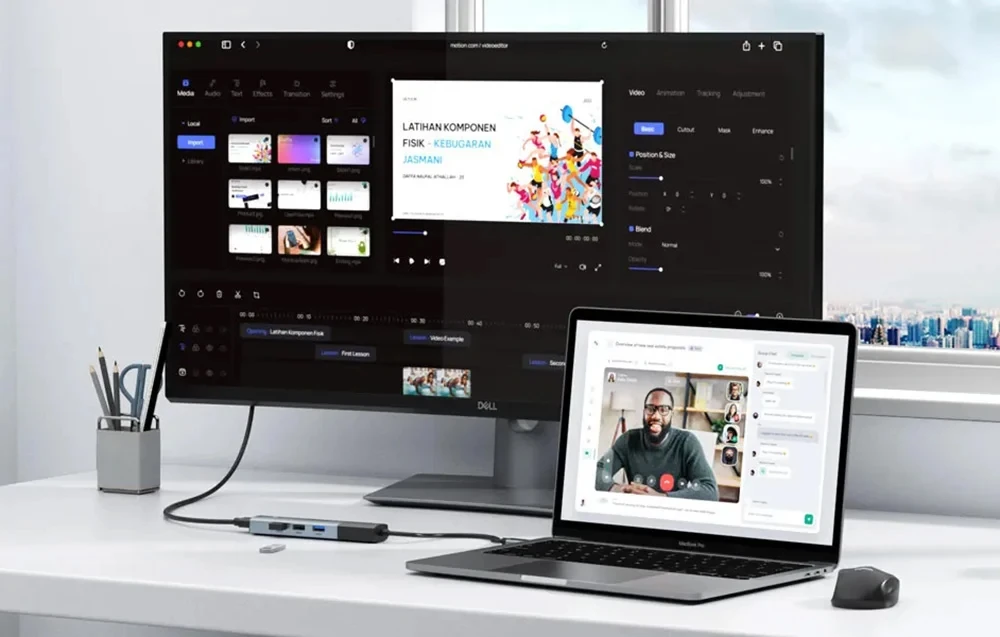
The HDMI output can be useful for connecting compatible USB-C computers to external displays.
A larger monitor can provide more viewing space for documents, spreadsheets, browser windows and other applications.
For office users, an external screen can improve the organization of everyday work.
Students can use a compatible HDMI projector or monitor for presentations and assignments.
The availability of screen mirroring or extended desktop operation depends on the host device and operating system.
The supplied specifications confirm HDMI output but do not provide a detailed compatibility matrix for individual display modes.
Suitable for Office and Home Workstations
The MOKIN MOUC6005 combines commonly used connections in one adapter.
Its HDMI output provides external display connectivity, while the USB-A ports accommodate compatible peripherals.
The USB-A 3.0 connection is useful for storage devices requiring higher data bandwidth.
The two USB-A 2.0 ports provide convenient connections for lower-bandwidth accessories.
The USB-C PD 3.0 input allows compatible host charging while the hub remains connected.
This makes the adapter suitable for laptop workstations where several accessories need to be connected at the same time.
Compatibility with USB-C Computers and Devices
The MOKIN MOUC6005 is designed for compatible USB-C host devices.
However, USB-C functionality varies between laptop models and manufacturers.
Some USB-C ports support charging and data but do not support external video output.
Other USB-C connections support video and data but may not accept Power Delivery charging.
For the best experience, customers should confirm that their laptop supports the functions they intend to use.
The supplied product information does not include a verified compatibility list for specific MacBook, Dell, HP, Lenovo, Microsoft Surface or other device models.
Compatibility with individual operating systems has also not been specified.
These details should be confirmed before making model-specific compatibility claims.
Practical Applications for the MOKIN MOUC6005
- Office Workstations: Connect a compatible HDMI monitor, keyboard, mouse and USB storage.
- Home Computing: Expand limited USB-C laptop connectivity for everyday accessories.
- University & College: Connect external displays and USB devices for assignments and presentations.
- Business Presentations: Output video from a compatible USB-C laptop to an HDMI-equipped display.
- USB File Transfers: Use the 5Gbps USB-A 3.0 port with compatible flash drives and storage accessories.
- Peripheral Connectivity: Connect supported keyboards, mice and printers through the USB-A 2.0 ports.
- Laptop Charging: Supply compatible USB-C Power Delivery power while using supported hub connections.
- High-Resolution Displays: Connect compatible equipment for the advertised maximum HDMI output of 8K@30Hz.
Buy MOKIN MOUC6005 5-in-1 USB-C Hub in Pakistan
The MOKIN MOUC6005 combines an 8K@30Hz HDMI output, one 5Gbps USB-A 3.0 port, two 480Mbps USB-A 2.0 ports and up to 100W USB-C Power Delivery input.
It is a practical connectivity accessory for compatible USB-C laptops that require external display output, additional USB-A connections and charging support.
Check the latest MOKIN MOUC6005 USB-C Hub Price in Pakistan at UTECH.PK. UGREEN HDMI Switch Price in Pakistan Explore MOKIN hubs and adapters with delivery options in Karachi, Lahore, Islamabad, Rawalpindi, Faisalabad, Multan and other supported cities across Pakistan.
Product Specifications
- Brand: MOKIN
- Model / SKU: MOUC6005
- Product Name: MOKIN 5-in-1 USB-C Multiport Hub
- Product Type: USB-C Hub with HDMI, USB-A Data Ports and PD Charging
- Host Connection: USB-C
- Total Expansion Ports: 5
- HDMI Output: 1 × HDMI
- Maximum Advertised HDMI Resolution: 8K UHD at 30Hz
- HDMI Version: Not Specified
- Required DisplayPort Version: Not Specified
- USB-A 3.0 Ports: 1
- USB-A 3.0 Maximum Data Rate: 5Gbps
- USB-A 2.0 Ports: 2
- USB-A 2.0 Maximum Data Rate: 480Mbps
- Total USB-A Data Ports: 3
- USB-C Power Delivery Port: 1 × USB-C PD 3.0 Input
- Maximum PD Input: 100W
- Net Host Charging Power: Not Specified
- USB-C PD Port Data Transfer: Not Advertised
- USB-C PD Port Video Output: Not Advertised
- USB-C Host Video Requirement: Compatible USB-C Video Output
- Display Mirroring / Extension: Subject to Host Device Support
- Compatible Device Models: Not Specified
- Operating System Compatibility: Not Specified
- Ethernet Port: Not Included
- Memory Card Reader: Not Included
- Additional USB-C Data Port: Not Included
- Color: Not Specified
- Housing Material: Not Specified
- Integrated Cable Length: Not Specified
- Dimensions: Not Specified
- Weight: Not Specified
- Included Power Adapter: Not Confirmed
- Warranty: Not Specified
Important Compatibility and Usage Notes
- 8K@30Hz HDMI: This is the maximum advertised resolution. The host, cable and display must support the required video capabilities.
- 8K Technical Requirements: HDMI version, DisplayPort version and video compression requirements are not specified in the supplied product data.
- USB-C Video Support: The host must support compatible USB-C video output for the HDMI port to function.
- USB-A 3.0: Supports a theoretical maximum data rate of 5Gbps.
- USB-A 2.0: Each port supports a theoretical maximum data rate of 480Mbps.
- Shared USB Bandwidth: Connected USB peripherals share the available host connection bandwidth.
- 100W PD 3.0: Represents the maximum supported charging input, not guaranteed net laptop charging power.
- USB-C PD Input: Intended for host charging rather than general-purpose USB-C data transfer.
- USB Port Power: Maximum output current for the USB-A ports is not specified.
- High-Power Peripherals: Some external storage devices and accessories may require additional power.
- Device Compatibility: Confirm the laptop’s USB-C video, data and Power Delivery capabilities before purchasing.
- Display Modes: Mirroring and extended desktop operation depend on the host device and operating system.
Frequently Asked Questions
Q1: What ports does the MOKIN MOUC6005 5-in-1 USB-C Hub have?
It includes one HDMI output, one USB-A 3.0 port, two USB-A 2.0 ports and one USB-C Power Delivery 3.0 charging input.
Q2: Does the MOKIN MOUC6005 support 8K HDMI output?
Yes. UGREEN 3-Port HDMI Switch Price in Pakistan The supplied specifications advertise HDMI output up to 8K at 30Hz. Actual output depends on the laptop’s USB-C video capabilities, HDMI cable and connected display.
Q3: Can I connect a 4K monitor to this USB-C hub?
The hub advertises a maximum HDMI resolution of 8K@30Hz, but the supplied information does not specify individual 4K refresh-rate modes. UGREEN USB Ethernet Adapter Price in Pakistan Confirm the intended display mode with the manufacturer and your laptop’s specifications.
Q4: Does the MOKIN MOUC6005 support 100W laptop charging?
It supports up to 100W USB-C PD 3.0 input for compatible host charging. The actual power delivered to the laptop may be lower and is not specified.
Q5: What is the difference between the USB 3.0 and USB 2.0 ports?
The USB-A 3.0 port supports up to 5Gbps, while each USB-A 2.0 port supports up to 480Mbps. UGREEN Wireless HDMI Extender Price in Pakistan The USB 3.0 port is better suited to compatible higher-speed storage devices.
Q6: Can I connect a keyboard, mouse and USB flash drive together?
Yes. The hub provides three USB-A ports for compatible peripherals. UGREEN 4-Port USB 3.0 Hub Price in Pakistan A keyboard and mouse can use the USB 2.0 ports while a flash drive uses the USB 3.0 port.
Q7: Will the HDMI port work with every USB-C laptop?
No. The laptop must support compatible video output through its USB-C port. USB-C charging or data support alone does not guarantee HDMI functionality.
Q8: Can I charge my laptop while using the HDMI and USB ports?
The hub is designed with a separate USB-C PD charging input and data/display connections. Simultaneous operation depends on the host device, charger and connected accessories.
Q9: Is the MOKIN MOUC6005 compatible with MacBook, Dell, HP and Lenovo laptops?
It may work with compatible USB-C laptops, but the supplied specifications do not include a verified model compatibility list. Check the exact laptop’s USB-C video, data and charging capabilities.
Q10: Where can I buy the MOKIN MOUC6005 USB-C Hub in Pakistan?
You can check the latest MOKIN MOUC6005 price and availability at UTECH.PK, with delivery options for Karachi, Lahore, Islamabad, Rawalpindi and other supported cities in Pakistan.






 No products in the cart.
Write a review