

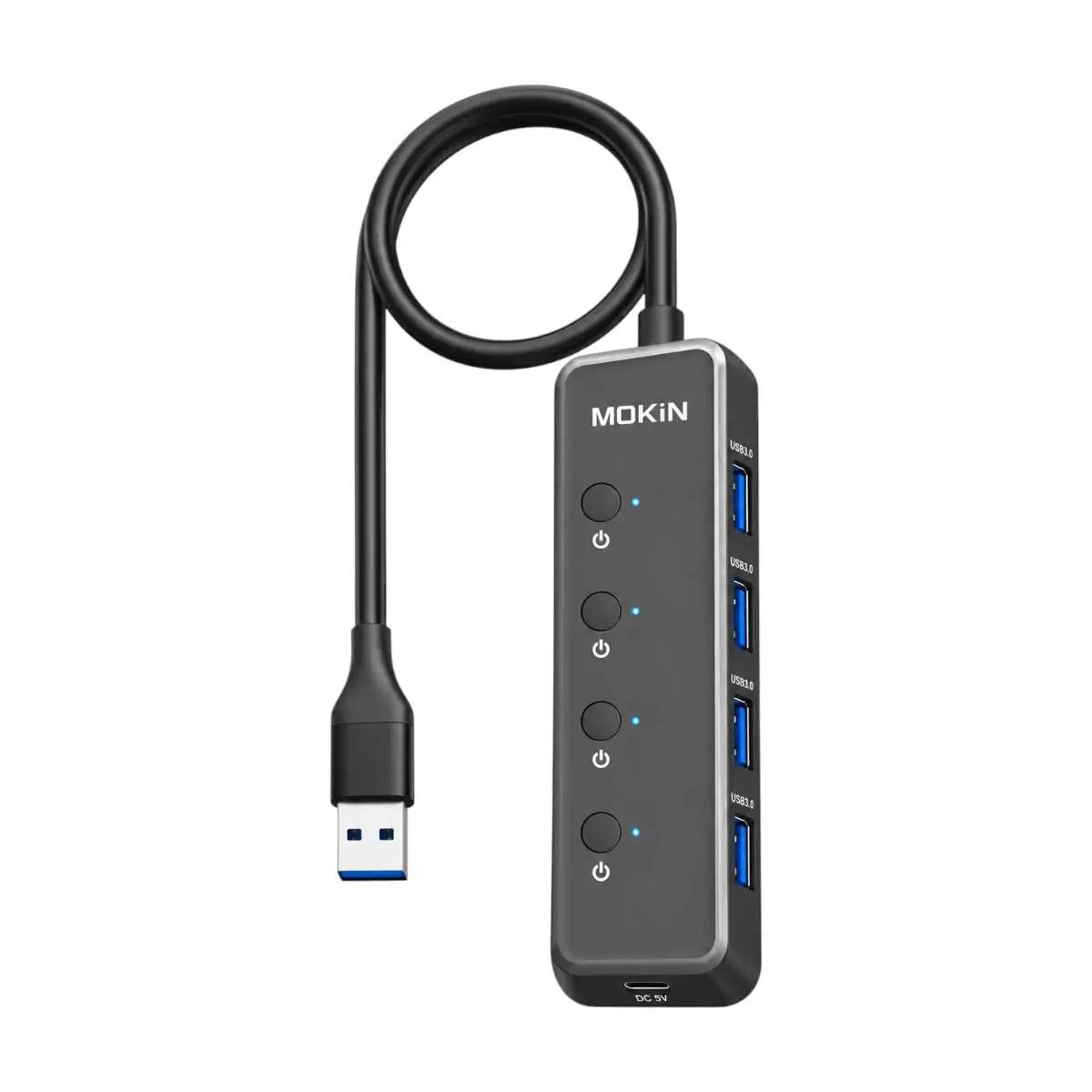
MOKIN MOUC5708 5-in-1 USB-A 3.0 Hub with Four USB Ports and USB-C DC Power
The MOKIN MOUC5708 5-in-1 USB-A 3.0 Hub is designed to expand the connectivity of computers and other compatible USB host devices.
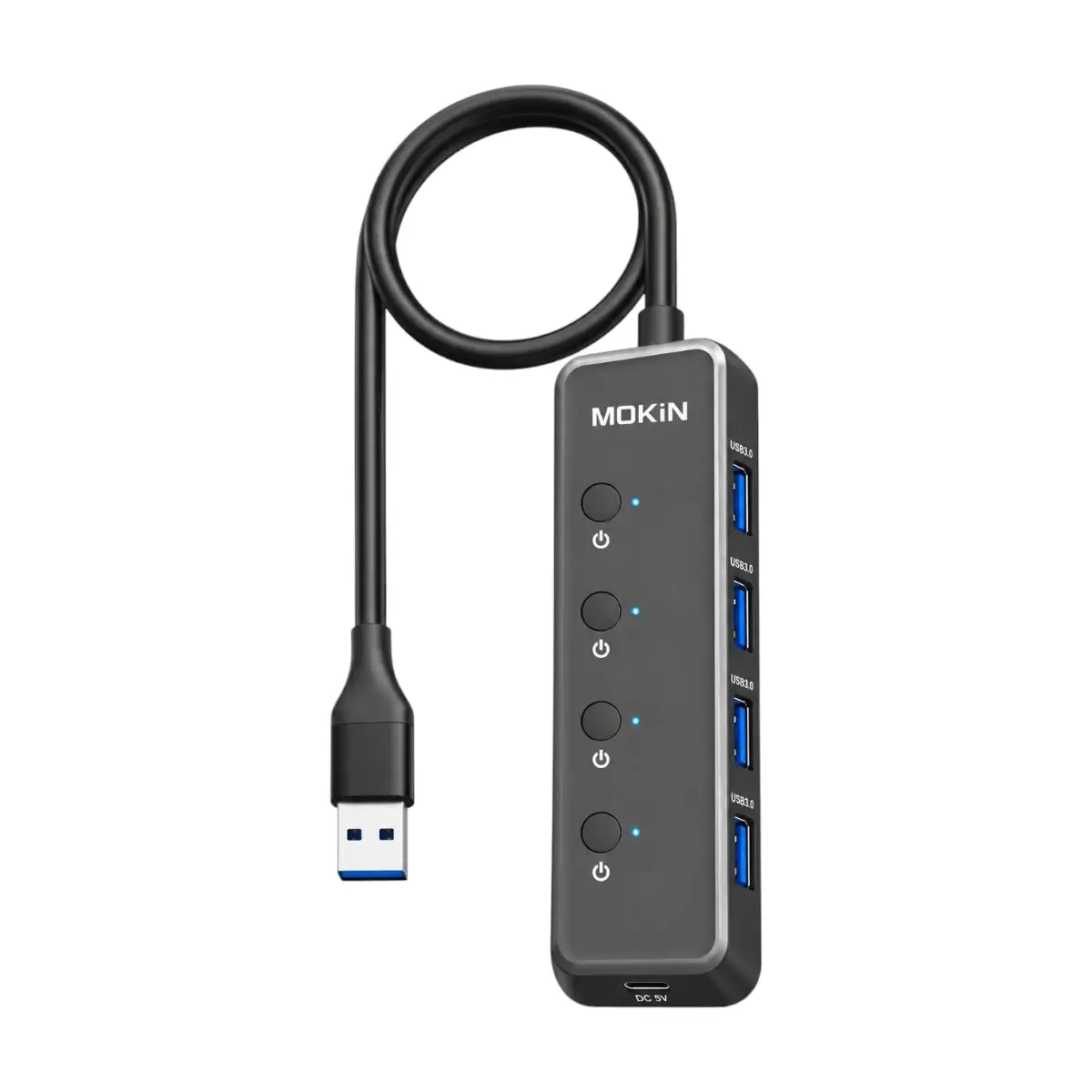
Featuring four USB-A 3.0 ports, individual port switches and a dedicated USB-C DC 5V power input, this hub provides a practical way to connect and manage multiple USB accessories through a single USB-A connection.
The hub supports data transfer speeds of up to 5Gbps, making it useful for compatible USB flash drives, external storage devices and other peripherals.
Each USB-A port includes an independent power switch, allowing users to control connected accessories without repeatedly removing their USB connectors.
The additional USB-C DC input provides an option for supplying external 5V power to the hub, which can be useful when connected devices require more power than the host USB connection can comfortably provide.
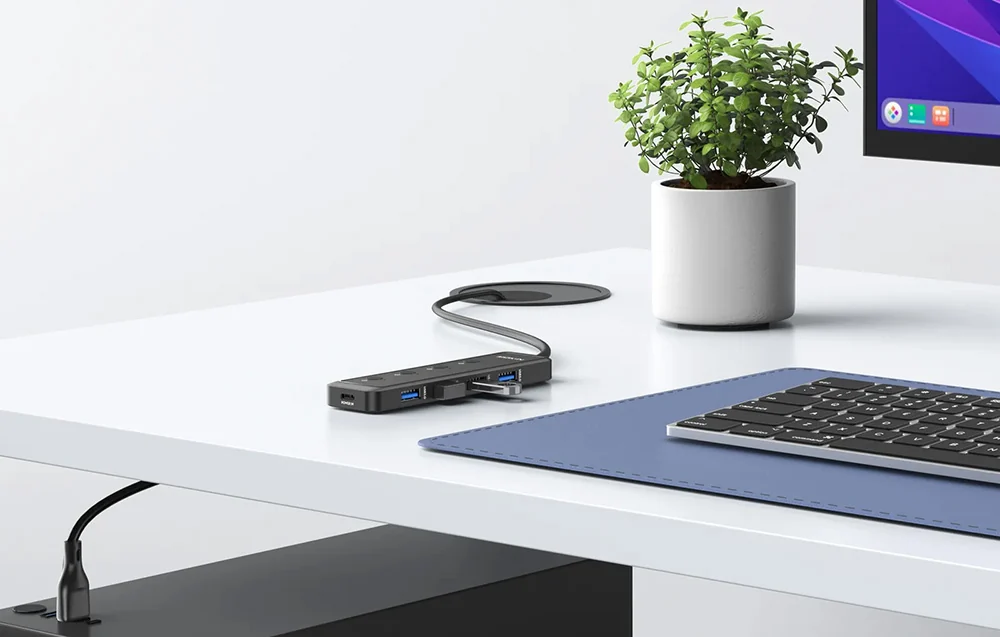
With an approximately 0.6-meter integrated cable, compact construction and lightweight design, the MOKIN MOUC5708 is suitable for home offices, desktop computers, laptops, study environments and everyday peripheral management.
Expand One USB-A Port into Four USB 3.0 Connections
Modern computer setups often require multiple USB accessories, including keyboards, mice, flash drives, printers and external storage devices.
However, laptops and compact computers may provide only a limited number of available USB ports.
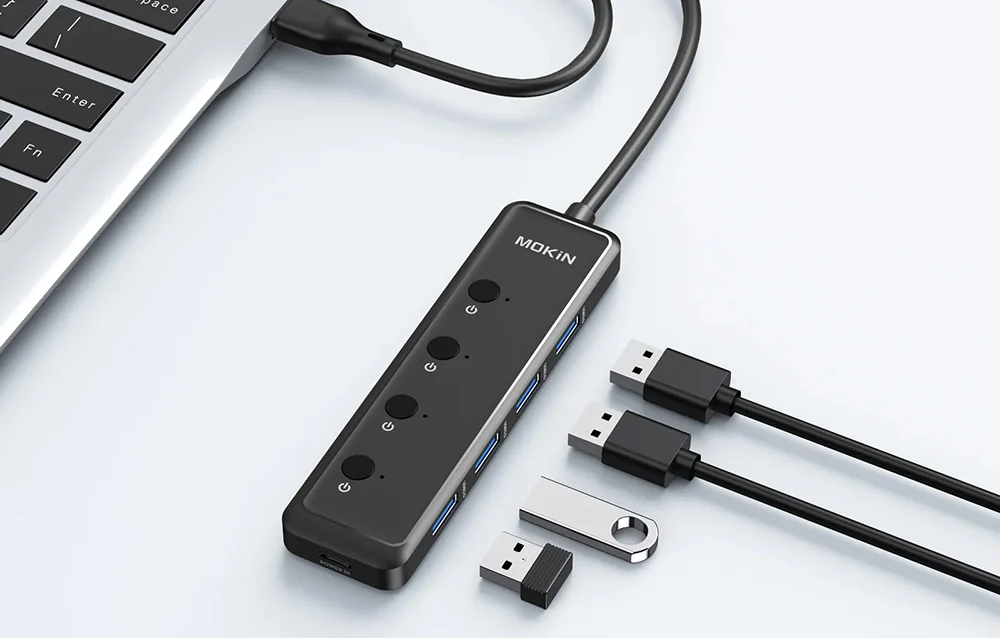
The MOKIN MOUC5708 addresses this problem by expanding a single USB-A host connection into four USB-A 3.0 ports.
This allows users to connect several compatible USB accessories through one hub.
For example, a workstation can accommodate a USB keyboard, mouse, flash drive and another supported peripheral without requiring four separate USB ports on the computer.
The additional USB-C DC connection is intended for power input rather than data expansion.
USB 3.0 Data Transfer Speeds up to 5Gbps
The MOKIN MOUC5708 supports USB 3.0 data transmission with a maximum advertised signaling speed of 5Gbps.
This makes it suitable for transferring files between a compatible computer and USB storage devices.
Users can access photographs, documents, videos and other files through supported USB flash drives and external storage.
The higher bandwidth of USB 3.0 can provide improved transfer performance compared with older USB 2.0 connections.
Actual transfer speed depends on the connected storage device, computer interface, file sizes and other operating conditions.
The advertised 5Gbps is the maximum interface signaling rate rather than a guaranteed file-copy speed.
The hub’s available USB bandwidth is shared among connected devices.
Four Independent USB Port Power Switches
A distinguishing feature of the MOKIN MOUC5708 is its independent port-switching design.
Each of the four USB-A ports has its own switch.
This allows users to enable or disable individual USB connections without physically removing the attached peripheral.
For example, a USB storage device can remain connected while its corresponding port is switched off when not needed.
The same arrangement can be useful for managing multiple USB accessories in a desktop workstation.
Independent switching helps reduce unnecessary unplugging and reconnecting of cables.
For storage devices, users should safely eject or unmount the drive through the operating system before switching off the port to reduce the risk of interrupted writes or data corruption.
The supplied information does not confirm whether the switches provide complete electrical isolation under every operating condition.
Dedicated USB-C DC 5V Power Input
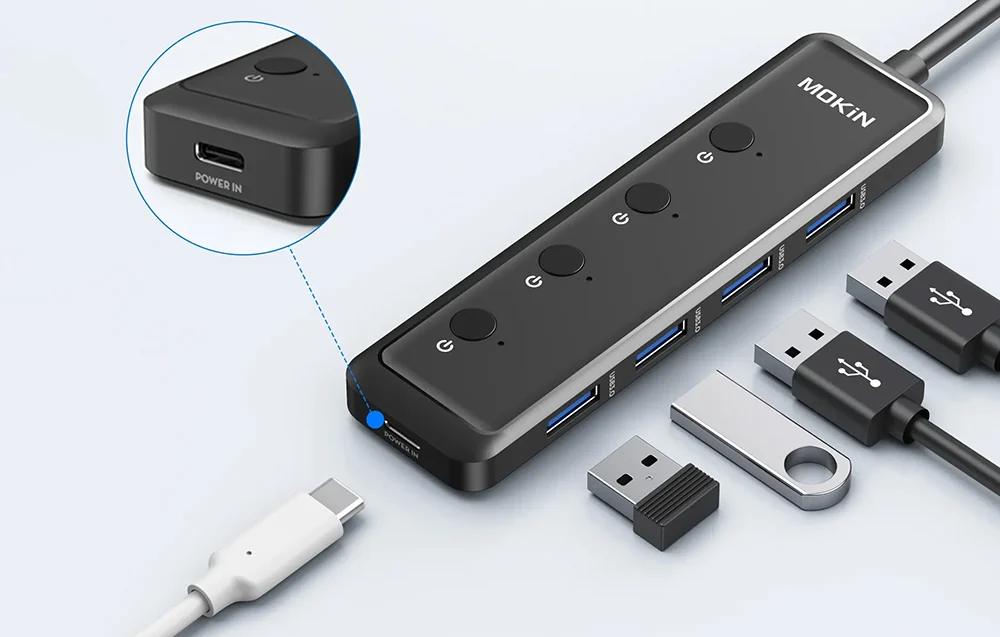
The hub includes a USB-C DC input designed to accept an additional 5V power supply.
This connection can help provide supplementary power for the hub and connected USB peripherals.
External power can be useful when several devices are attached or when a connected accessory requires more power than the host connection can reliably supply.
For example, certain external storage devices and other USB peripherals may have higher power requirements.
The USB-C DC connection is intended only for supplying power to the hub.
It is not an additional USB-C data port, video output or laptop Power Delivery charging connection.
The manufacturer identifies the required voltage as 5V but does not specify the maximum input current in the supplied specifications.
Use a compatible 5V power source and follow the manufacturer’s instructions.
Additional power does not guarantee compatibility with every high-power USB device.
Connect Keyboards, Mice, Flash Drives and Other USB Accessories
The MOKIN MOUC5708 supports a variety of compatible USB peripherals.
Common examples include:
- USB flash drives
- External USB storage devices
- Wired keyboards
- USB mice
- Compatible printers
- USB webcams
- Memory card readers
- Supported USB-connected smartphones
This makes the hub suitable for users who regularly connect and disconnect different accessories.
A single hub can help organize peripheral connections and reduce the need to reach behind a desktop computer.
Some devices may require additional drivers or software depending on the operating system and peripheral manufacturer.
USB compatibility also depends on the power requirements and communication features of the connected accessory.
Wide Compatibility with Windows, macOS, Linux and Android
The MOKIN MOUC5708 is described as compatible with several commonly used operating systems.
These include Windows, macOS, Linux and Android.
For Windows desktops and laptops, the hub can provide additional USB-A connections for compatible peripherals.
Mac computers with a suitable USB-A host connection can also use the hub with supported accessories.
Linux systems can use compatible USB devices according to their available driver support.
Android compatibility requires a suitable USB host or OTG connection, depending on the device.
The supplied information does not establish compatibility with every version of these operating systems or every device model.
For USB-C-only laptops, a suitable USB-C-to-USB-A host adapter may be required.
Approximately 0.6-Meter Integrated Cable
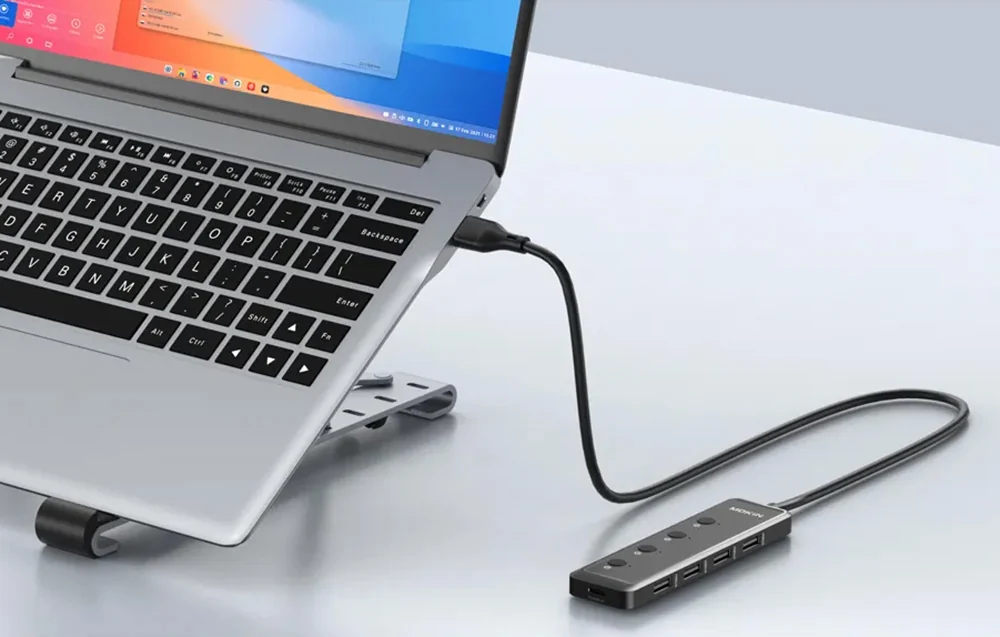
The MOKIN MOUC5708 features an integrated cable measuring approximately 0.6 meters.
This gives users greater flexibility when positioning the hub around a computer.
For desktop setups, the cable can make it easier to bring USB connections within reach instead of accessing ports on the back of a computer.
For laptop users, it allows the hub to be positioned conveniently beside the workstation.
The integrated cable also helps keep the hub ready for use without requiring a separate host connection cable.
The cable should be positioned without excessive tension or sharp bends to help maintain reliable connectivity.
Compact and Lightweight Construction
The supplied specifications list dimensions of approximately 21 × 4.3 × 1.45cm and a weight of 67.76g.
This makes the MOKIN MOUC5708 a lightweight USB expansion accessory for daily use.
Its black finish is suitable for a variety of desktop and laptop workspaces.
The slim design makes it practical for carrying in a laptop bag, backpack or accessory pouch.
It is also suitable for users who want a compact USB hub rather than a larger desktop docking station.
The supplied dimensions should be checked against the retail packaging if precise installation measurements are required.
Convenient USB Management for Home and Office
The four USB-A ports and independent switches make the MOKIN MOUC5708 particularly useful for workstations with multiple connected accessories.
A user can keep frequently used peripherals connected while controlling individual ports as required.
This can simplify daily tasks such as accessing flash drives, connecting input devices and using compatible USB accessories.
The hub also provides a convenient way to bring USB connections closer to the working area.
For users who frequently move between office and home workstations, its lightweight construction supports portability.
Practical Uses for the MOKIN MOUC5708
- Desktop Computers: Expand a limited number of USB-A ports for keyboards, mice and storage devices.
- Laptop Workstations: Connect multiple compatible USB peripherals through one available USB-A port.
- Office Productivity: Manage printers, flash drives and other supported office accessories.
- University & College: Connect USB devices for assignments, presentations and file transfers.
- Content Creation: Access compatible external storage and USB accessories used in everyday creative workflows.
- Home Computing: Keep frequently used USB peripherals connected and organized.
- External Storage: Connect compatible USB drives and use supplementary 5V power when appropriate.
- Peripheral Management: Switch individual USB ports on or off without repeatedly unplugging accessories.
Buy MOKIN MOUC5708 USB 3.0 Hub in Pakistan
The MOKIN MOUC5708 5-in-1 USB-A Hub combines four USB 3.0 ports, up to 5Gbps data transfer, individual port switches and a dedicated USB-C DC 5V power input.
It is a practical solution for users who want additional USB connections for compatible computers, laptops and everyday peripherals.
Check the latest MOKIN MOUC5708 USB Hub Price in Pakistan at UTECH.PK. UGREEN 5-Port HDMI Switch Price in Pakistan Explore original MOKIN connectivity accessories with nationwide delivery options, including Karachi, Lahore, Islamabad, Rawalpindi, Faisalabad, Multan and other supported cities.
Product Specifications
- Brand: MOKIN
- Model / SKU: MOUC5708
- Product Name: MOKIN 5-in-1 USB-A 3.0 Hub
- Product Type: USB-A Multiport Data Hub
- Product Category: Hubs & Adapters
- Host Connection: USB-A 3.0
- Total Connections on Hub: 5
- USB-A Data Ports: 4 × USB-A 3.0
- Additional Power Port: 1 × USB-C DC
- USB-C DC Input Voltage: 5V
- USB-C DC Port Function: Supplementary Power Input Only
- USB-C Data Transfer: Not Supported Through DC Port
- USB-C Video Output: Not Supported
- USB-C Laptop PD Charging: Not Advertised
- Maximum USB Data Rate: 5Gbps
- USB Port Control: Individual Switch for Each USB-A Port
- Number of Port Switches: 4
- Simultaneous Peripheral Connections: Up to 4 Compatible USB-A Devices
- Integrated Host Cable Length: Approximately 0.6 Meter
- Dimensions: 21 × 4.3 × 1.45cm
- Weight: 67.76g
- Color: Black
- Operating System Compatibility: Windows, macOS, Linux and Android
- Supported Peripheral Types: Compatible USB Storage, Keyboards, Mice, Printers, Webcams and Card Readers
- External Power Support: Yes, Through USB-C DC 5V Input
- Maximum USB-C DC Input Current: Not Specified
- Maximum Power Available Per USB-A Port: Not Specified
- Included External Power Adapter: Not Confirmed
- Housing Material: Not Specified
- Warranty: Not Specified
Important Compatibility and Usage Notes
- USB-C DC Input: The USB-C connection supplies supplementary 5V power to the hub; it is not a data or laptop-charging port.
- USB 3.0 Speed: The advertised 5Gbps is a maximum theoretical signaling rate. Actual data transfer speeds depend on connected devices.
- Shared Bandwidth: Connected USB devices share the bandwidth available through the hub’s single USB-A host connection.
- Independent Switches: Safely eject storage devices before disabling their ports to avoid interrupting active file transfers.
- External Storage: Some high-power external drives may require additional power or a separately powered enclosure.
- Android Compatibility: Requires compatible USB host or OTG support and a suitable physical connection.
- USB-C-Only Computers: May require a compatible USB-C-to-USB-A adapter.
- External Power Supply: Use an appropriate 5V source. UGREEN 4-Port USB 3.0 Hub Price in Pakistan The maximum supported input current has not been supplied.
- Display Connectivity: The hub does not provide HDMI, DisplayPort or other video output connections.
- Charging Function: The hub is intended primarily for USB data and peripheral expansion, not as a dedicated fast-charging station.
Frequently Asked Questions
Q1: What is the MOKIN MOUC5708 USB Hub used for?
It expands one USB-A connection into four USB-A 3.0 ports, allowing users to connect multiple compatible USB accessories to a computer or other supported host device.
Q2: Does the MOKIN MOUC5708 support 5Gbps data transfer?
Yes. It supports USB 3.0 data transmission at up to 5Gbps. UGREEN Wireless HDMI Extender Price in Pakistan Actual transfer speeds depend on the connected devices and operating conditions.
Q3: Can I connect four USB devices at the same time?
Yes. The hub provides four USB-A ports for connecting up to four compatible peripherals simultaneously.
Q4: What is the purpose of the USB-C port?
The USB-C port is a dedicated 5V DC input used to provide supplementary power to the hub and connected USB devices. UGREEN USB Ethernet Adapter Price in Pakistan It does not support USB-C data transfer.
Q5: Does the MOKIN MOUC5708 support laptop fast charging?
No dedicated laptop Power Delivery charging function is specified. The USB-C DC input is intended for powering the hub, not charging the connected laptop.
Q6: Can I connect an external HDD or SSD?
Yes, compatible USB external storage devices can be connected. UGREEN HDMI Matrix Switch Price in Pakistan Some drives may require supplementary power or their own powered enclosure.
Q7: Does the hub work with Windows and Mac computers?
Yes. The supplied specifications list Windows and macOS compatibility, along with Linux and Android. The host must provide suitable USB connectivity.
Q8: What do the individual USB port switches do?
Each switch allows users to control its corresponding USB-A port without physically disconnecting the attached accessory. Storage devices should be safely ejected before switching off.
Q9: Can I use the MOKIN MOUC5708 with a USB-C-only laptop?
The hub uses a USB-A host connection. A compatible USB-C-to-USB-A adapter may allow use with a USB-C-only laptop, subject to device compatibility.
Q10: Where can I buy the original MOKIN MOUC5708 USB Hub in Pakistan?
You can check the latest price and availability at UTECH.PK, with delivery options for Karachi, Lahore, Islamabad, Rawalpindi and other supported cities in Pakistan.








 No products in the cart.


Write a review